

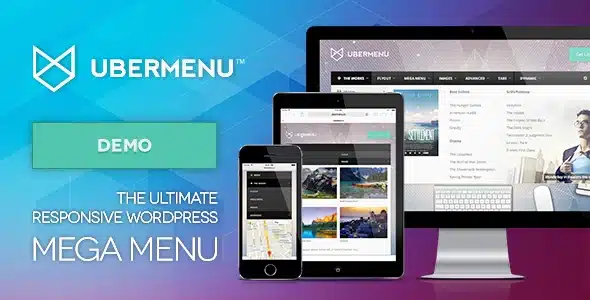

UberMenu – WordPress Mega Menu Plugin
Original price was: $51.21.$10.99Current price is: $10.99.

The Ultimate WordPress Menu
UberMenu™ is a user-friendly, highly customizable, responsive Mega Menu WordPress plugin. It works out of the box with the WordPress 3 Menu System, making it simple to get started but powerful enough to create highly customized and creative mega menu configurations.
- Fully Responsive
- Mega or Flyout Submenus
- Compatible with Mobile devices, including iPhone, iPad, and Android
- Touch-enabled
- Build advanced submenu layouts with the built in column grid system
Easy to use
- Rapidly develop Mega Menus from your pages, posts, custom links, or any content!
- Works out of the box with most WordPress 3 Menu-Enabled Themes
- Integrates directly with the WordPress 3 Menu Management System – work with the system that you know and love!
Fully Configurable
- Dropdown CSS3 Transitions
Shift Up, Slide Down, Fade, or None - Trigger Hover, Hover Intent, or Click
- Includes 25 popular Google Fonts
- Vertical or Horizontal menus
- Multiple UberMenus can be configured independently
Responsive & Mobile
- Responsive layout
- Configurable Breakpoint
- Unified Touch Experience across OSes (includes touch support for iOS, Android, and Windows 8 )
- Optional submenu close buttons on touch
- Independently placeable responsive toggle
- Hide items for different screen sizes
Tabbed Submenus
- Tabs can be oriented left, right, top, or bottom of content panels
- Click, Hover, or Hover Intent can be configured independently from the main trigger
- Static or Dynamic content
Easy to Customize
- Tweak menu colors, sizes, and fonts with the Customizer’s Live Preview
- Customize individual menu items’ styles right from the Menu Item Settings
- Simplified CSS selectors make writing custom styles a breeze
- Includes LESS stylesheets for developers
Advanced Content
- Images
- Descriptions
- Posts Grid
- Search bar
- Shortcodes
- Widgets
- Google Maps
- Contact Forms (with Contact Form 7 plugin)
- Custom HTML
- Tabbed content
Dynamic Items
- Generate items from post or term content
- Works with Posts, Pages, and Custom Post Types
- Works with Categories, Terms, and Custom Taxonomies
- Filter results by type, term, parent/ancestor, author, etc
- Set maximum results, sort order
- Automatically inherit featured images
- Automatically divide results into columns
Advanced Submenu Layouts
- Built-in responsive grid
- Individually configure the width of each column, or set a default for each submenu
- Columns wrapper to group multiple items
- Row items allow centering of submenu contents
- Set background images for each submenu
- Optional scrollable submenus for extended content
Integration Options
- Automatic integration for themes that meet the requirements
- Manual integration code generated in the Control Panel for themes that do not support automatic integration
- Includes an UberMenu widget to place UberMenu in your theme’s widgetized areas
- UberMenu Shortcode allows placement within site content (generator included)
Works great with
And much more!
- Independently override trigger on each menu item
- Scroll-to-section functionality
- PHP & Javascript API for developers
Requirements
- WordPress 3.9+
- Use of the WordPress 3 Menu System
- For Automatic Integration, a theme that meets the Requirements
- jQuery 1.11+ (any site running WordPress 3.9+ should be using this)
Important Notes
- UberMenu will not automatically adopt the style of your theme, unless your theme has an UberMenu-specific stylesheet. You’ll need to customize the styles on your own to recreate it if that’s what you want
- If your theme has not properly implemented WordPress 3 Menus, UberMenu may not work out of the box due to interference from the theme. You can add it to your site with a line of code via Manual Integration. See Will UberMenu work with my theme?
Support Resources
If you have questions beyond the Knowledgebase or Video Tutorials, the Support Center is available to you. Please note that all support requests must be submitted through the support center, and questions through all other channels (including Item Comments, Emails, Facebook, Twitter, etc) will be referred there. Thanks for your cooperation! (You can click the “Support” tab at the top of this page for more details on support)
Mobile Menu Alternatives
UberMenu is fully responsive and provides its own mobile menu. However, if you’d like to separate your mobile menu from UberMenu, we offer a free solution which complements your UberMenu installation:
ShiftNav
UberMenu Extensions
Did you previously purchase UberMenu extensions (Sticky, Conditionals, Icons, Flat Skins) through Envato? They are still available, maintained, updated, and supported – please see this article for details on the move: UberMenu Extensions now available exclusively through sevenspark.com
Changelog
Always read the update instructions!
v3.8.5 July 25, 2024Enhancement: Apply submenu dropshadow settings to all submenu levels
Fix: Positioning for submenu indicators within a dropdown
Fix: Icon Top Layout submenu indicator positioning--------------------------------
v3.8.4 June 19, 2024
Security: Nonce verification for settings management functions to prevent CSRF
Improvement: More robust vertical centering of submenu indicator icons
Fix: Menu Segment Autocolumns
Fix: Allow custom taxonomy terms to 'pass through' [Tabs] block when nesting Dynamic Posts
Fix: Tabs settings in nested dynamic items--------------------------------
v3.8.3 May 16, 2024
Security: Sanitize output to patch XSS vulnerability for [ubermenu-search], [ubermenu_toggle], [ubermenu-col], and [ubermenu_mobile_close_button] shortcodes (requires untrusted user with Contributor+ credentials to exploit). Credit to stealthcopter for discovery - thanks!
Fix: Submenu footer positioning corner case clearance issue on mobile
Fix: Tabs > Dynamic Terms > Tabs > Dynamic Terms > Tabs > Dynamic Terms garbage collection bug
Fix: "Remove Icon" text in menu item settings panel--------------------------------
v3.8.2 March 18, 2024
Feature: Image Portal Default Content
Feature: Responsive Toggle ARIA Label, with dynamic {{menu_title}} tag to display target menu title.
Feature: Ability to use {{menu_title}} tag in Responsive Toggle Content setting
Enhancement: Ensure support for Appearance > Menus screen on FSE themes
Enhancement: For fixed toggle, raise z-index and offset by admin bar height
Enhancement: Move Submenu Footer Content from absolute to relative positioning below mobile breakpoint
Enhancement: Close all submenus when mobile menu is toggled closed
Enhancement: Option for aria-haspopup
Update: Add Twitter X icon
Update: PHP 8.2 Dynamic Property deprecation
Update: Google Maps API to latest requirements, async, callback, advanced marker library, map ID
Update: Remove deprecated "unbind()" jQuery function (only applicable when using Remove Conflicts Setting)
Update: Remove deprecated jQuery functions from admin scripts
Fix: Radios with descriptions appearing as "Array" in Customizer--------------------------------
v3.8.1 February 8, 2023
Fix: UberMenu Elementor widget not displaying for users running older versions of PHP
--------------------------------
v3.8 February 2, 2023
Feature: Enhanced Keyboard accessibility modes: Enter, Spacebar, or Focus to open submenus. General keyboard accessibility improvements.
Feature: ubermenu_item_atts filter for nav menu item attributes control
Feature: ubermenu_row_atts filter for control over row UL attributes
Feature: Dynamic Terms tree replication to n levels
Experimental Feature: Image Portal
Enhancement: Revert mobile menu to closed state on page-back navigation (configurable setting)
Enhancement: Allow empty alt tags for decorative images, set autofill alt setting to off by default
Enhancement: Allow custom classes on Tabs blocks
Enhancement: Localize WooCommerce...
Only logged in customers who have purchased this product may leave a review.


Reviews
There are no reviews yet.